Marimba, Xylophone, Vibraphone
- 4.8
- Rating
- 500.00K
- Installs
- Free
- Price

 Analysis by App-foxy
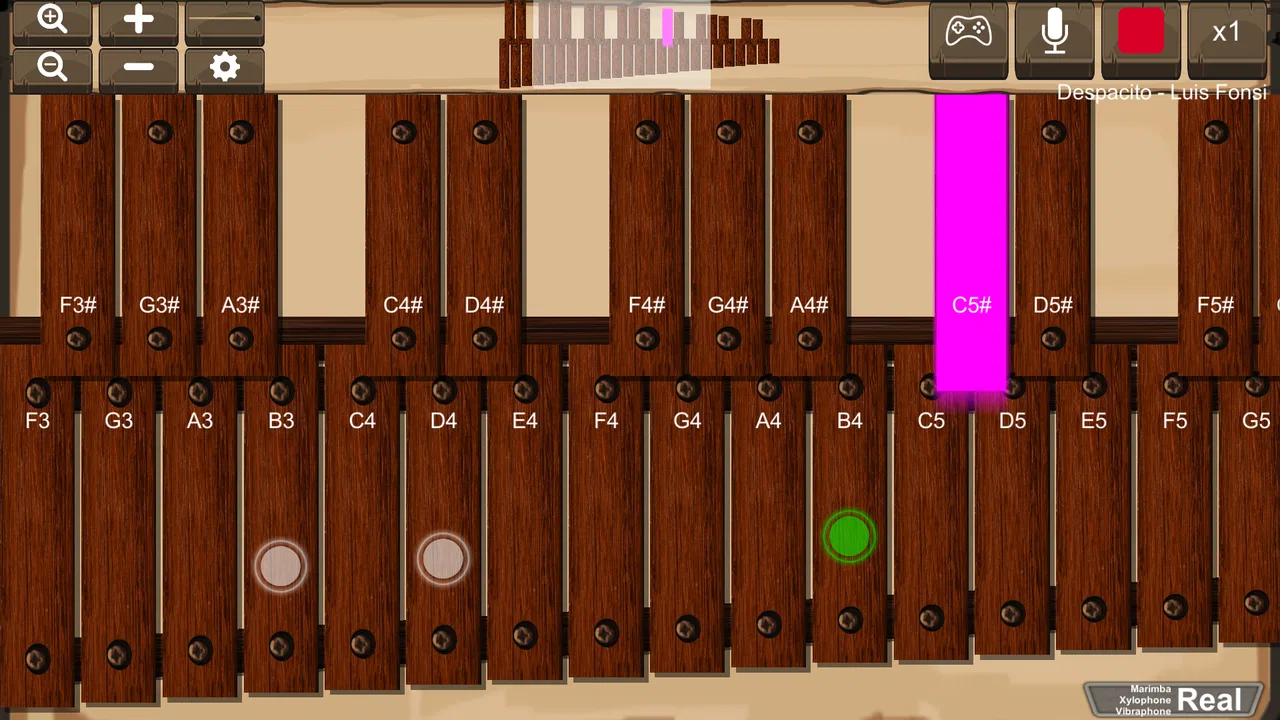
I enjoy music apps most when they let me make sound immediately, without turning a simple experiment into a lesson in menus and settings. Marimba, Xylophone, Vibraphone is built around that direct idea: it puts mallet-style percussion on the screen and lets me play notes by tapping. After spending time with it, I see it as a friendly pocket instrument rather than a replacement for a physical keyboard or a full music workstation. That distinction matters, because its best qualities are immediacy, simplicity, and the pleasure of trying a melody wherever I happen to be.
Developed by sonOS, this free music game is aimed at anyone curious about percussion instruments, from complete beginners to players who want a quick way to test a tune. Its age rating is Everyone, so it is also suitable for casual family use. The core idea is easy to understand: choose a mallet-instrument sound and play the notes arranged on the display. There is no need to learn a complicated interface before hearing a result, which makes the first few minutes especially inviting.
How the current version feels in everyday use
The current release is version 2.6, and the app has been available since March 1, 2019. That history gives it a more established feel than a brand-new experiment. I can see why it has attracted more than 500 thousand installs and an average score of 4.8 from around 2.9 thousand ratings. Those figures do not make it perfect, but they do fit my experience of an app that understands its central purpose and does not bury it under unnecessary extras.
You May Also Like

 Pandora - Music & Podcasts
Pandora’s Music Is Easy to Start, but Harder to Recover
Pandora’s strength is its low-effort path from a seed to a station. Its weak spot is how much confidence it asks you to place in connection, setup, and quiet recovery.

 8 Ball Pool
8 Ball Pool Is Built on Rivalries, Rematches, and Routine
A close look at the rivalries, rematches, shared routines, and unanswered safety questions that turn a quick pool match into a persistent mobile community.

 Samsung Music
Samsung Music’s Quiet Strength Is Playing What You Already Own
Its reach comes less from spectacle than from dependable access to a personal library. That simplicity is both the app’s strongest retention engine and its ceiling.

 AccuWeather: Weather Radar
AccuWeather Review: A Quick, Clear Forecast for Everyday Decisions
For everyday plans, the best forecast is the one you can understand quickly. AccuWeather makes rain timing, radar, and local conditions easy to act on, with a few trade-offs.

 Hill Climb Racing
Why Hill Climb Racing Still Turns Crashes Into One More Run
A tiny car, a bumpy hill and one more upgrade: Hill Climb Racing keeps resurfacing because its simple chaos makes every near-miss feel personal.

 AliExpress - Shopping App
AliExpress Makes Global Shopping Feel Personal, but Shoppers Bear the Risk
AliExpress turns a global marketplace into a pocket-sized discovery engine. Its reach is useful, its shopping loop compelling, and its trade-offs easy to miss.
More From Our News Desk
View All News


The instrument choices are the main attraction. A marimba gives melodies a warm, rounded character, while the xylophone feels brighter and more pointed. The vibraphone adds a softer, more resonant color, and the glockenspiel has the delicate, bell-like personality I associate with small high-pitched percussion. Switching between them changes the mood of the same short phrase, which makes experimentation more enjoyable than playing one fixed sound repeatedly.
I would describe the experience as a musical toy with genuine practice value. Tapping a familiar melody is satisfying, especially when I slow down and concentrate on the spacing between notes. It is also a useful way to introduce children to pitch: the notes are visible, the response is immediate, and mistakes are harmless. The app does not ask me to understand scales before I begin. I can discover relationships between neighboring notes simply by listening.
That simplicity is also the reason I would not recommend it to someone looking for a complete music-production tool. It is not the place I would go for multitrack recording, detailed editing, accompaniment, or a structured course. People who want realistic performance control, extensive sound shaping, or a large library of instruments will probably be happier with a dedicated digital audio workstation or a more advanced virtual instrument. Here, the focus stays firmly on tapping a percussion layout and hearing the result.
A practical way to use it during the day
A realistic use case is a short break away from a real instrument. Suppose I have a melody in my head while waiting for an appointment. I can open the app, choose a sound that matches the mood, and work out the notes by trial and error. The bright glockenspiel can make the phrase easier to hear, while the marimba may feel less sharp when I am repeating it several times. Once I know the sequence, I can use the app as a memory aid before trying the same idea on a piano, keyboard, or classroom instrument.
I also find it useful for checking whether a melody is moving upward or downward in the way I imagine. That may sound basic, but a visible row of notes turns a vague musical thought into something concrete. I can compare two nearby pitches, listen for the interval, and decide which one fits. This is a better use of the app than expecting it to teach formal theory by itself. It gives my ears something immediate to work with, while the explanation still has to come from practice or instruction.
For children, I would start with a simple challenge rather than handing over the app without direction. Ask them to find a short melody using only a few notes, then change the instrument and describe how the mood changes. That turns random tapping into listening practice. The app’s accessible design makes this kind of activity easy, although an adult may still need to provide the musical structure because the application itself is not a step-by-step tutor.
What the four sounds change
The instrument selection is more important than it first appears. A xylophone-style tone makes individual taps stand out, so it can be helpful when I am trying to identify a sequence. The marimba is more forgiving and rounded, which suits relaxed playing and slower melodies. The vibraphone brings a different atmosphere that can make the same notes feel more spacious. The glockenspiel is the most sparkling option and works well when I want every pitch to feel unmistakable.
My practical tip is to use the brightest sound for accuracy and the warmer sounds for expression. If I am learning a phrase, I prefer a tone that lets me hear each note clearly. If I already know the notes and am simply enjoying the tune, the marimba or vibraphone can make the session feel less mechanical. This is a small workflow, but it helps prevent the four choices from becoming superficial decoration.
Another useful habit is to play slowly before attempting a familiar song at normal speed. Touchscreen tapping encourages rushing because the notes are so easy to trigger. Slowing down exposes uneven timing and missed notes. I would not call this a substitute for a metronome or a teacher, but it is a practical first check. If a melody falls apart at a gentle pace, changing instruments will not solve the underlying problem.
What has changed over the product’s life
The confirmed current version, 2.6, shows that the app has continued beyond its original release rather than remaining frozen at its first build. That is useful context for existing users: the product is not simply a one-time novelty from 2019. At the same time, I would separate that fact from assumptions about a particular update. A version number alone does not prove that the latest release introduced a new instrument, recording feature, interface redesign, or performance improvement, so I would judge the present experience by what is actually available on the device.
From a user’s perspective, the important evolution is less about expecting a dramatic transformation and more about appreciating a mature, focused tool. The basic concept remains easy to grasp: open it, select a percussion voice, and play. That continuity is good for someone returning after a long break, because there is no reason to relearn a complex workflow. It also means that anyone hoping for a much broader musical system should not install it expecting the version number to signal a change of category.
Existing users who already enjoy the app can continue using it for quick melody practice, playful improvisation, or demonstrations. New users should approach it with the same expectation. The update history supports confidence that the app has been maintained over time, but it does not change the central trade-off: convenience and clarity come before depth.
Where it fits beside other music apps
Compared with a piano simulator, this app has a more distinctive percussion identity. A piano app usually makes chords, familiar keyboard patterns, and broader harmonic practice more natural. Marimba, Xylophone, Vibraphone instead encourages single-note melodies and rhythmic tapping. If I want to practice chord shapes, I would choose the piano alternative. If I want a bright mallet sound or a quick way to explore a simple tune, this app feels more appropriate.
Compared with a drum machine, it serves a different purpose again. Drum machines are better for beats, loops, and rhythm construction, while this app is centered on pitched notes. I can use it to think about melody over a rhythm I already have in mind, but I would not expect it to build a full backing track. That limitation is not a flaw when the goal is a compact virtual instrument; it becomes a problem only when the user wants arrangement tools.
A physical marimba, xylophone, or glockenspiel remains the better choice for learning how mallets feel, how much force affects a real bar, and how sound behaves in a room. The phone cannot reproduce that physical feedback. Its advantage is portability and low commitment. I can try an idea without owning or carrying a large instrument, and I can use headphones or the phone speaker depending on the situation. For discovery and basic pitch practice, that convenience is meaningful.
Small limitations that affect the experience
The touchscreen is both the app’s strength and its main compromise. It responds quickly to taps, but a glass display does not provide the same tactile landmarks as real bars or keys. When I play a longer phrase, I have to rely on sight and timing rather than touch alone. That can make rapid passages awkward, especially for someone used to a physical instrument.
There is also a ceiling to how expressive the performance can feel. The app gives me different instrument colors, but a phone screen is not the same as controlling mallet force, resonance, damping, or the subtle movement of a real performer. I can shape a phrase through note choice and timing, yet the expressive range remains narrower than a physical instrument or specialist controller.
The focused design may feel sparse to advanced users. Someone expecting lessons, song libraries, notation, recording, or extensive customization could find the experience too limited. I would also skip it if my main goal is to produce finished music. The app is strongest at the moment of playing, not at preserving a polished arrangement or replacing a recording setup.
Those limitations are worth considering before download because they are not problems that a beginner will necessarily notice in the first minute. The initial novelty is strong, but long-term value depends on whether I enjoy making short melodies and comparing timbres. If I need a structured progression, I would pair it with a music-learning app. If I need composition tools, I would use a workstation and treat this as a sketching aid at most.
Who should try it and who should pass
I think it is a good fit for curious beginners, parents looking for a simple musical activity, and players who want a portable way to test melodies. It also suits people who specifically like mallet percussion and want more character than a generic keyboard sound provides. Because it is free, the barrier to trying it is low, and the Everyone rating makes it easy to consider for shared use.
I would recommend it to a friend who says, “I want to play something musical right now, but I do not want to study an interface.” The app answers that request well. It is also useful before a rehearsal or lesson when I need to check a handful of notes quickly. The four sound options give enough variation to keep that process interesting without making the choice overwhelming.
I would advise a different option to a serious student seeking reliable technique training. The screen cannot teach the physical control of mallets, and the app does not replace a teacher’s feedback. I would also point a songwriter toward a tool with recording and arrangement functions if the goal is to save, edit, and develop ideas into complete tracks. In those situations, this application can still be a playful sketchpad, but it should not be the main instrument.
Questions worth considering before installing
If the main concern is whether a child can use it, the Everyone rating and straightforward instrument concept make it approachable. I would still guide younger users toward a small musical task, because unrestricted tapping can become repetitive quickly. The strongest educational value comes from listening, copying a short phrase, and discussing why one sound feels different from another.
If the question is whether it can replace a real xylophone or marimba, my answer is no. It can imitate the idea of playing pitched percussion and help with melodies, but it cannot reproduce the physical impact, spacing, resonance, or technique of a real instrument. It is best viewed as an accessible introduction and a portable practice companion.
If someone wants to know whether it is suitable for advanced composition, I would set expectations carefully. It is useful for trying notes and moods, particularly when a mallet timbre is inspiring a musical idea. It is not the right primary tool for arranging a song, recording a performance, or shaping a detailed production. A separate music app will be more efficient once the idea moves beyond a short sketch.
For users wondering whether the app is still worth trying after several years, the answer depends on the goal rather than its age. The current version is 2.6, and the continuing presence of the app suggests a stable concept. If I want a focused virtual mallet instrument, its longevity is reassuring. If I want frequent new content or a changing game-like progression, I would look elsewhere instead of assuming that an established release will provide that.
My recommendation after using it
Marimba, Xylophone, Vibraphone succeeds because it does not pretend that a phone can become an entire music studio. It offers a small, understandable space for playing pitched percussion, and the four instrument voices give that space more variety than the name might initially suggest. I like being able to move from clear xylophone notes to a warmer marimba sound when a melody calls for a different character.
The best results come from treating it as a focused instrument rather than a complete learning system. Use the bright tones to check pitch, slow down to improve timing, and switch voices to hear how timbre changes the same phrase. Those habits turn a few minutes of tapping into something more useful. They also make the app easier to evaluate honestly: its value is in immediate musical exploration, not in advanced control.
For me, the free price, approachable design, and distinctive mallet sounds make it an easy recommendation for casual players and beginners. I would keep a piano app, a drum tool, or a full music workstation in mind for different jobs, but I would not dismiss this one simply because it is small. Its real strength is giving a melody a clear, playful percussion voice with almost no learning curve. If that is what you want, it is worth trying; if you need deep production features or physical technique, choose a more specialized alternative.
Overall, I see Marimba, Xylophone, Vibraphone as a compact musical companion that remains most enjoyable when I use it intentionally: to discover a tune, compare instrument colors, entertain a child, or fill a spare moment with actual playing instead of passive listening. Its future appeal will depend on preserving that responsiveness while addressing the depth gap that advanced users may notice. For now, its focused simplicity is both its identity and its most convincing reason to install it.
FAQs for Marimba, Xylophone, Vibraphone
01What is Marimba, Xylophone, Vibraphone, and who is it designed for?
Marimba, Xylophone, Vibraphone is a virtual percussion app that lets you play tuned wooden- and metal-bar instruments directly on a mobile device. It is suitable for beginners exploring musical notes, students practicing simple melodies, and experienced players who want a portable instrument for experimentation. The interface is generally approachable, although users unfamiliar with keyboard layouts may need a little time to learn the note arrangement.
02Does the app include realistic marimba, xylophone, and vibraphone sounds?
The app focuses on recreating the basic experience of playing these mallet instruments through touch controls and recorded or synthesized tones. Sound quality can depend on your phone or tablet speakers, headphones, and the selected instrument. The marimba usually offers a warmer tone, the xylophone a brighter attack, and the vibraphone a softer, more resonant character, though the realism may not replace a professional sample library.
03Can I use this app to learn music or practice songs?
Yes, the app can be useful for learning note positions, practicing rhythm, and experimenting with short melodies. It works best as an introductory practice tool rather than a complete music course, because it may not provide structured lessons, sheet music, or detailed feedback on technique. Beginners should start slowly, use headphones when possible, and practice simple scales or familiar tunes before attempting faster passages.
04Does Marimba, Xylophone, Vibraphone work offline and require any special equipment?
The basic playing functions should be accessible without musical equipment, using only the touchscreen and the device’s built-in audio. Depending on the version and platform, some optional content or advertising features may require an internet connection. Headphones or external speakers can improve clarity, especially when playing several notes quickly. A larger tablet screen is also more comfortable than a small phone for accurate tapping.
05Is Marimba, Xylophone, Vibraphone free to download, and are there advertisements or in-app purchases?
The app’s availability, pricing, advertisements, and optional purchases can vary between Android and iOS and may change with future updates. Before downloading, check the official store listing for the current details, including whether the free version contains ads or limits certain instruments and features. Users who want uninterrupted practice should review the purchase information carefully and confirm that their device meets the listed requirements.
Pros
- Includes several mallet instruments in one app.
- Simple controls make it easy for beginners to start playing.
- Useful for practicing melodies without carrying a real instrument.
- Responsive touch input supports quick notes and simple rhythms.
- Suitable for casual music-making and short practice sessions.
Cons
- Sound quality may not match a real marimba or vibraphone.
- Small screens can make accurate note tapping difficult.
- Limited features may feel basic for experienced musicians.
- Extended playing can become repetitive without more varied content.
- Some devices may show occasional touch or audio latency.

Marimba, Xylophone, Vibraphone
Gallery